
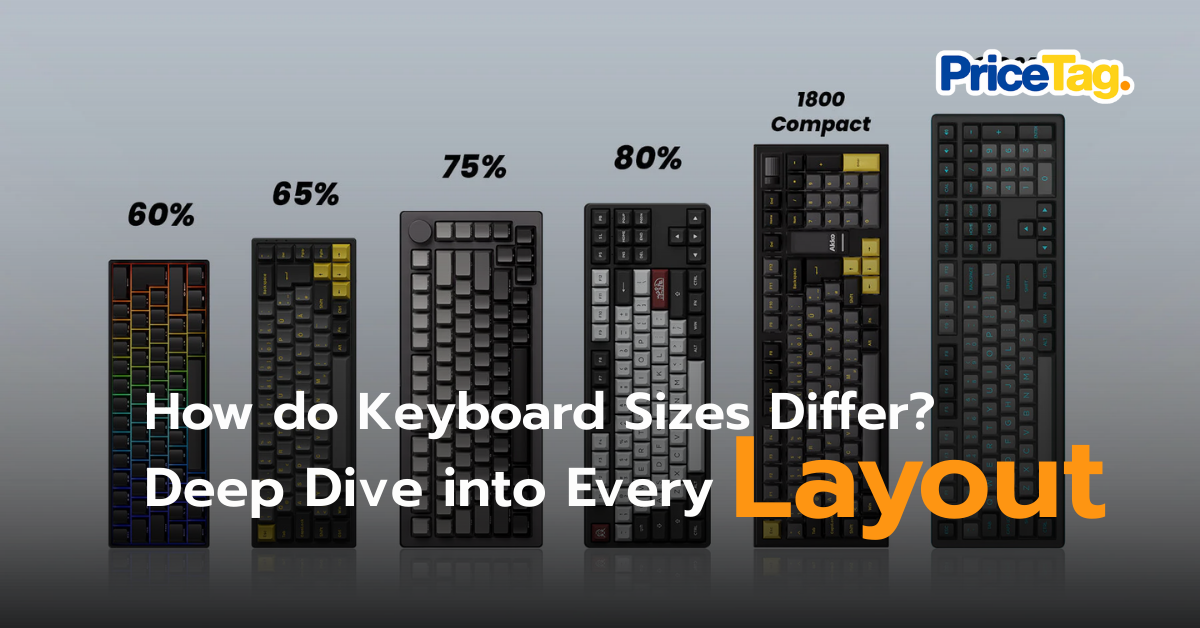
Mechanical keyboards continue to surge in popularity, leading manufacturers to release various sizes to the market. The trend focuses on removing rarely used keys to create compact designs that save desk space. While brands may use different names, they are most commonly categorized by a “percentage” relative to the standard size. Choosing the right one depends on your lifestyle whether you need mouse space for gaming or speed for work. Let’s dive into the details
1. Full-Size (100%): The All-In-One Classic
The “Big Brother” with all 104–108 keys, including the Function Row (F-keys), Arrow keys, and a dedicated Number Pad (Numpad)
Pros: Accountants or anyone whose life revolves around data entry.
Cons: It occupies the most desk space and forces a wide gap between your typing hand and your mouse hand, which can cause shoulder strain.

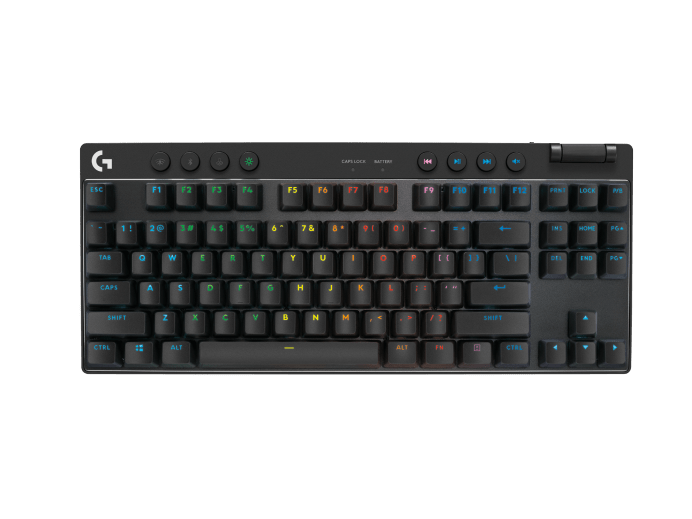
2. TKL (Ten-Key-Less) or 80%: The Standard for Work and Play
This size removes only the Numpad but keeps everything else. It is the most popular size for both gamers and general users because it provides extra mouse space while keeping the F-Row and Arrow keys accessible without using layers.
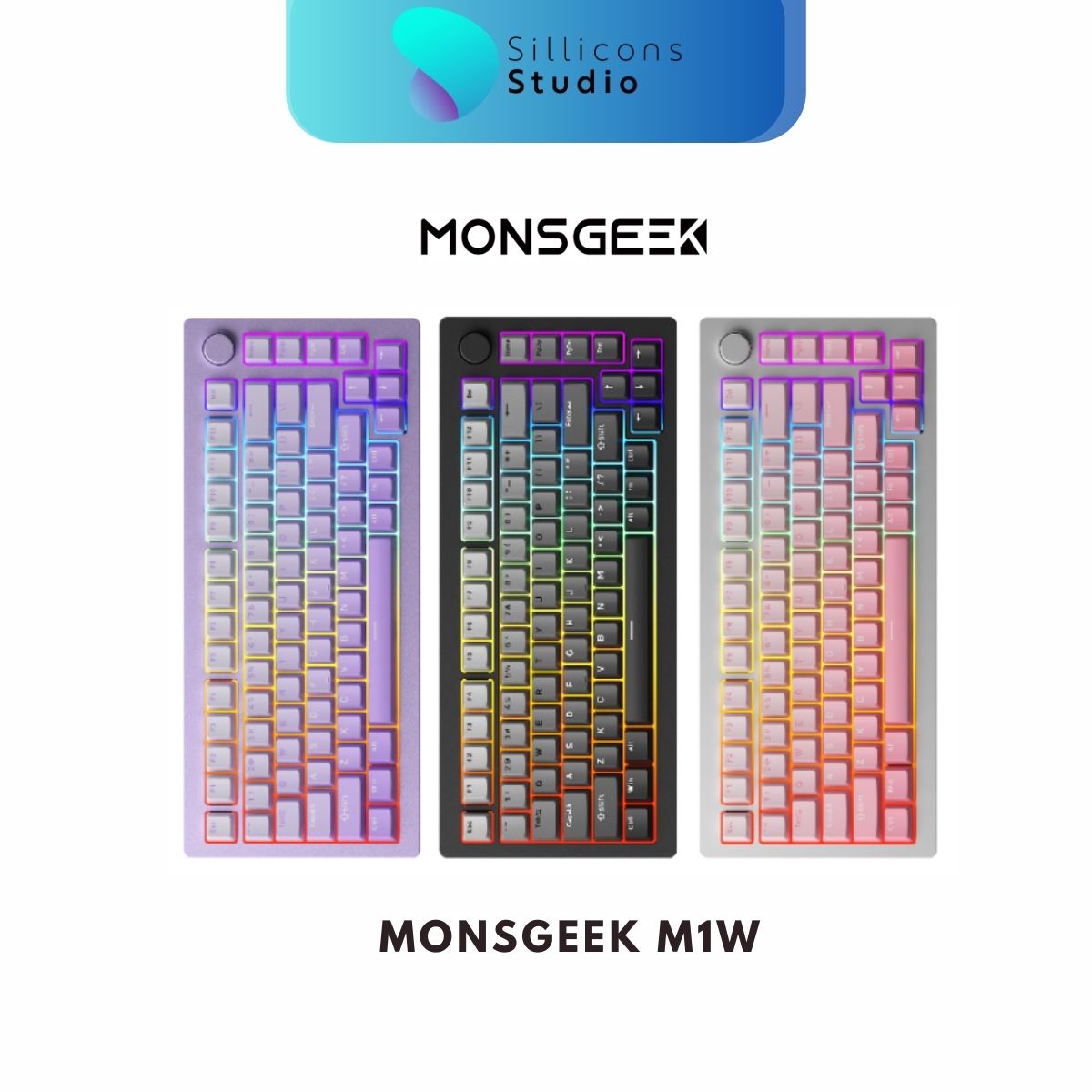
3. 75%: The Most Popular Layout for Desk Stylists
This is the size I highly recommend for anyone starting with custom keyboards. It compresses the TKL keys into a tighter frame, making it nearly as small as compact models but keeping the F-Row and Arrow keys. It is the perfect balance of space-saving and functionality ideal for Minimalist Desk Setups.

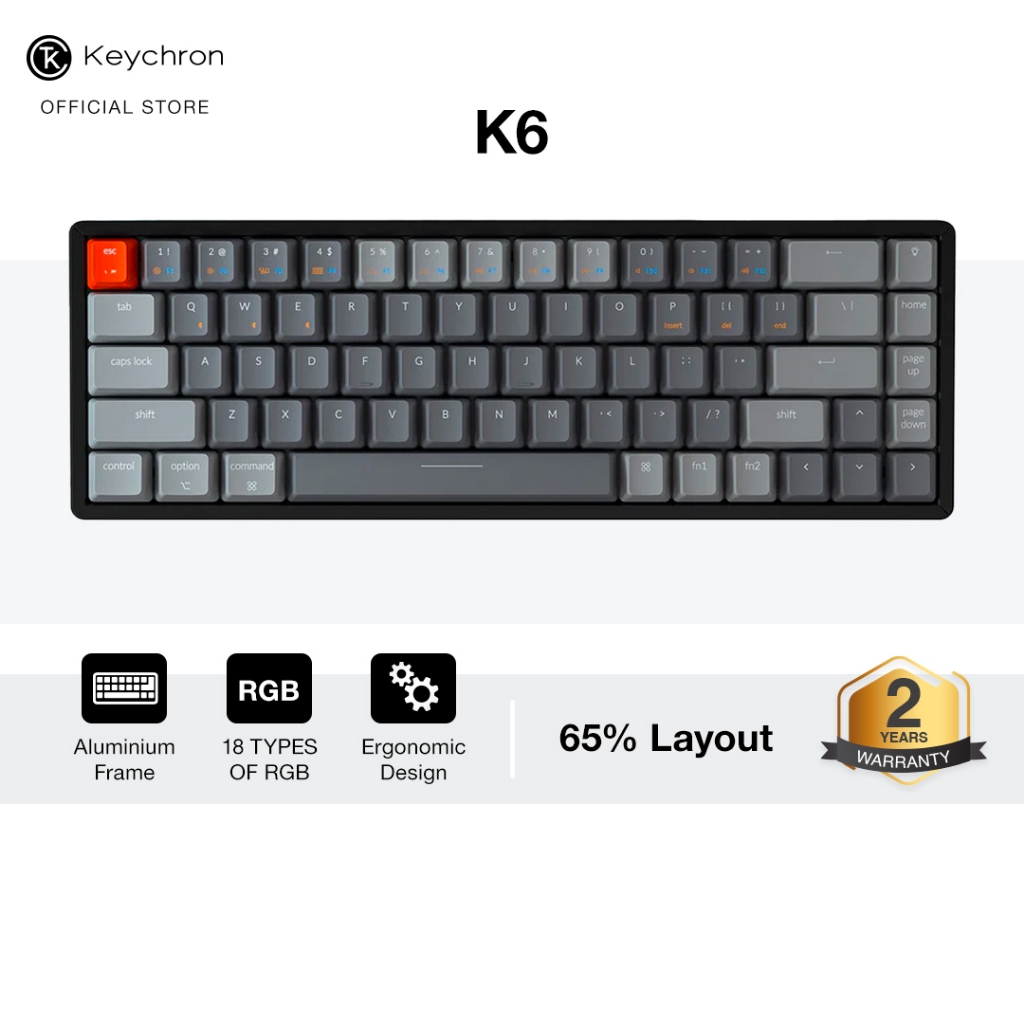
4. 65% and 60%: Extreme Minimalism for Portability
65%: Removes the F-Row (accessed via Fn + Number keys) but keeps the Arrow Keys. It is arguably the best size for portability.
60%: Removes everything except the core letters and numbers. This is the smallest mainstream size, beloved by FPS gamers for massive mouse space. However, it requires getting used to Function Layers.

5. 40% and Separate Numpads: For True Enthusiasts
40%: The ultimate challenge. It removes even the number row, leaving only letters and core commands. Primarily used for portability with iPads or Tablets, requiring high proficiency in key mapping.

6. Specialized Layouts
1800 Compact (96%): For those who “can’t quit” the Numpad but want a shorter board. It squeezes the number pad directly against the main keys.
Alice / Split Keyboard: Designed as Ergonomic Keyboards, these split the board into two halves or angle them to allow your wrists to sit in a more natural position.
Summary:
- If you use Excel daily: Avoid 65% or lower. Go for a 96% or a 75% paired with a separate Numpad.
- If you play FPS games: 60% or 65% is the answer so you can flick your mouse without hitting the keyboard.
- If you don’t know where to start: Get a 75%. It is the most balanced choice in the 2026 keyboard world!
Most Popular Keyboards
100% Keyboard
- Keychron V6 Max
- Shopee : check price and promotion
- Lazada : check price and promotion
80% ยอดนิยม
- Akko 5087B
- Shopee : check price and promotion
- Lazada : check price and promotion
ึ75% Keyboard
- MonsGeek M1W
- Shopee : check price and promotion
- Lazada : check price and promotion
65% Keyboard
- Keychron Q2
- Shopee : check price and promotion
- Lazada : check price and promotion
60% Keyboard
- Razer Huntsman Mini
- Shopee : check price and promotion
- Lazada : check price and promotion
40% Keyboard
- EPOMAKER TH40
- Shopee : check price and promotion
- Lazada : check price and promotion

 Samsung รุ่นแตะขึ้น BTS-MRT-BRT มัดรวมโปรเก่าแลกใหม่ปี 2026
 iPhone 2026 มีอะไรใหม่บ้าง รวมข่าวลือ ราคา และวันเปิดตัวล่าสุด
 One-Time Investment: Why the AUKEY PA-TA09 is the Ultimate Travel Adapter for Every Trip