

Choosing a Student Laptop is a major investment that requires careful thought. This machine is going to be your partner for the next 4 years (or maybe even longer). Whether it’s for studying, writing reports, or binge-watching movies to relax, it needs to cover all the bases.
But the most common problem everyone faces is, “Which model should I choose?” Each one has different strengths. Some say Mac is better; others say Windows offers better value.
Today, I’m stepping in as your guide to recommend 2 top-tier paths that best answer student needs. Let’s check: Which “Study Lifestyle” matches you?
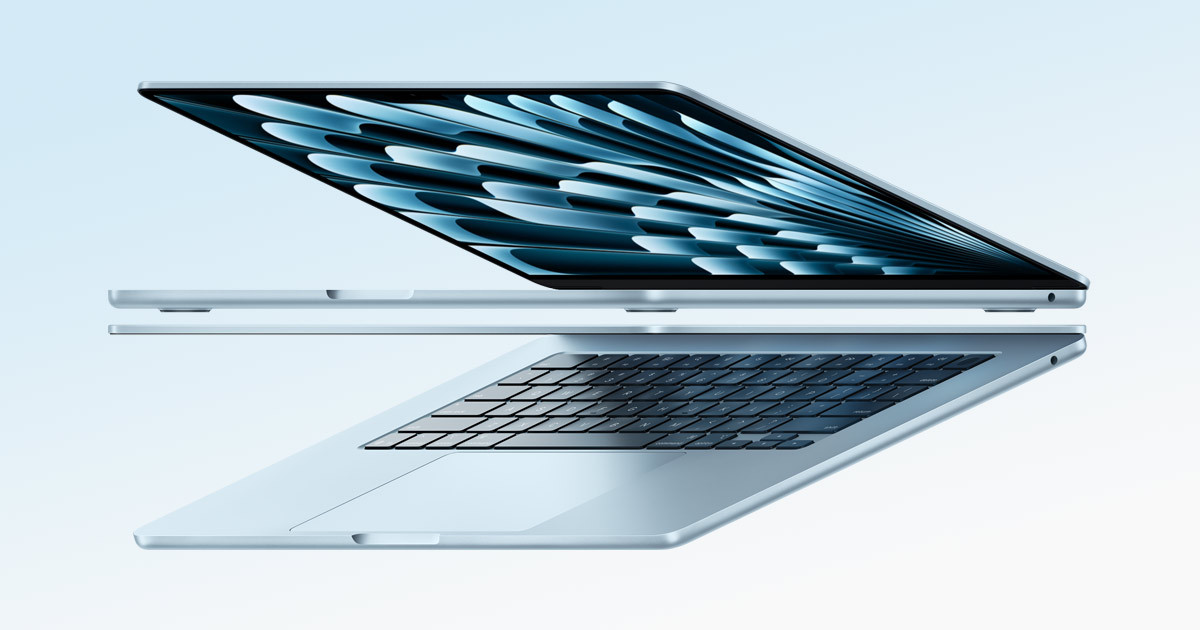
Option 1: The Content Creator Life – Agile & Long Battery
Recommended Model: MacBook Air (M3 Chip)
If your study image involves holding a coffee cup, walking between lecture buildings, or you love carrying your work to different locations, you need a machine that is “Light” and “Reliable.”
- Why this model is worth it:
- Featherlight & Portable: With its ultra-slim design and light weight, you can slip it into a tote bag and walk around campus comfortably. No more back or shoulder pain.
- Forget the Charger: The M3 chip is famous for energy efficiency. Charge it once in the morning, and it lasts until evening. No need to scramble for power outlets.
- Presentation King: For students in fields where you need to sell ideas (Communications, Marketing, Liberal Arts), connecting a Mac for a presentation ensures sharp visuals and a very professional look.
- Ecosystem: If you already use an iPhone or iPad, sending files and photos via AirDrop is the ultimate convenience you won’t find anywhere else.

Option 2: The Data-Driven Life – Big Screen & High Value
Recommended Model: ASUS Vivobook 16
If your study image involves spreading out textbooks, opening a massive screen to churn out research papers, or firing up Excel for heavy accounting, you need a machine with “Lots of Space” and “All-in-One features.”
- Why this model is worth it:
- Massive 16-inch Screen: The wider screen space lets you use Split Screen comfortably. Open a web browser for research on the left and type your Word doc on the right without squinting.
- Numpad (Number Pad): Heaven for Accounting, Business, or Engineering students. Having a separate number pad on the right makes data entry significantly faster.
- Complete Ports: Comes with USB and HDMI built-in. Whether you need to plug in a Flash Drive to print work or connect to a university projector, you can plug it straight in. No need to carry messy dongles.
- Great Value: You get powerful specs at a more accessible price point.
Conclusion: Choose What “Fits Your Life”
Finally, I want you to look at the big picture. Buying a laptop isn’t just buying an electronic device; it’s choosing a “Partner” that will support you through your university years.
Ask yourself: “What kind of partner do I want?”
If you love agility, want a companion ready to go anywhere, looks good whenever you open it, offers reliable stability, and connects seamlessly with your existing Apple world… MacBook Air M3 is an investment that brings “Fluidity” to your life.
But if you love being fully equipped, want a partner ready to tackle heavy workloads, have a screen wide enough to see everything at once, and are flexible enough to connect with any device at university without limitations… The ASUS Vivobook 16 is an investment that brings “Freedom” and peace of mind to your work.
There is no right or wrong, only “Does it suit me?” Choose the one that makes you the happiest to use. That is the correct answer!
Where to Buy (Official Stores with Warranty)
MacBook Air (M3 Chip)
- Lazada: Click to view price & promo
- Shopee: Click to view price & promo
ASUS Vivobook 16
- Lazada: Click to view price & promo
- Shopee: Click to view price & promo